
Rain Viewer: Weather Radar Map
MeteoLabWeather
4.3479.00 Reviews
- Version
- 7.19
- Installs
- 1.00M
- Age Rating
- Everyone
Screenshots
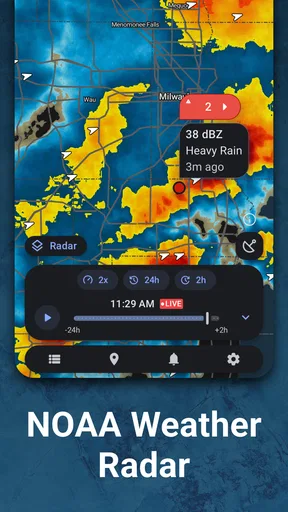
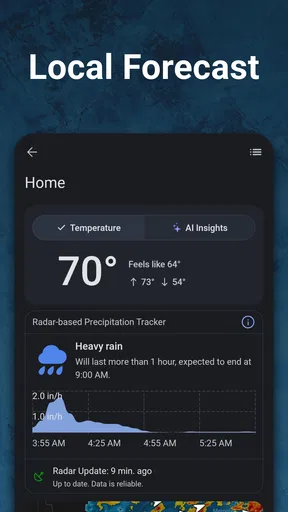
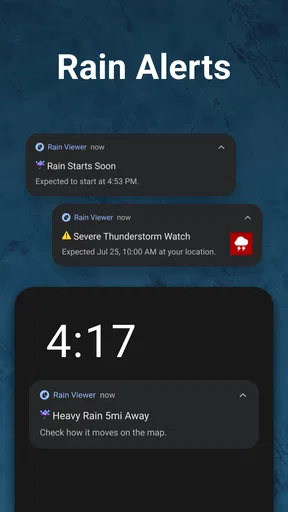
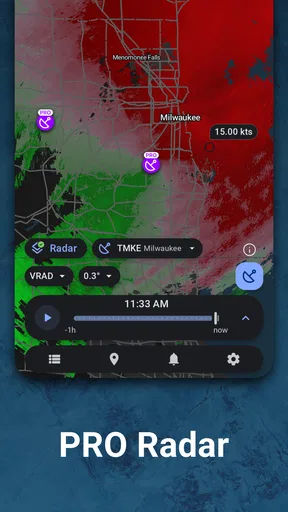
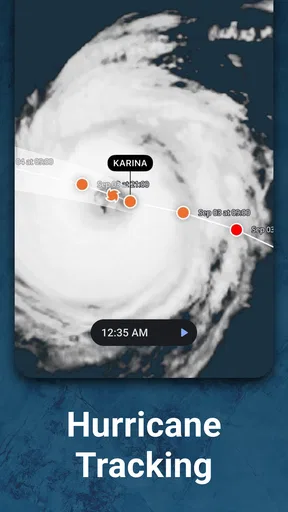
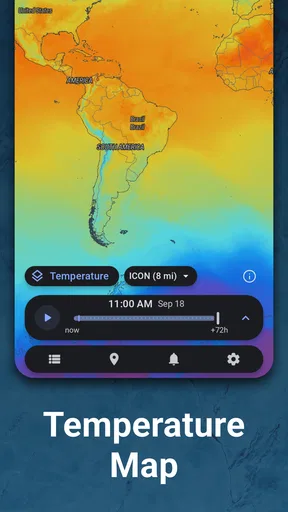
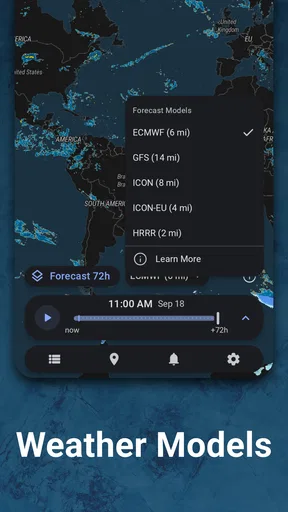
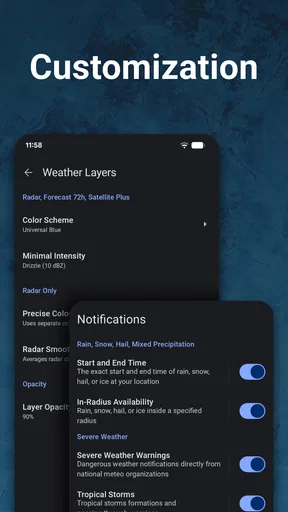
Our Review of Rain Viewer: Weather Radar Map
 Analysis by Appyee
Hey there! Today, I’m diving into something that’s become an absolute lifesaver for me, especially when planning outdoor activities or just figuring out what to wear. It’s called Rain Viewer: Weather Radar Map, and honestly, it’s like having a tiny meteorologist in my pocket. Let me take you through my experience with this app and why it might just become your go-to weather buddy too.
First Impressions and Interface
Okay, so right off the bat, the Rain Viewer app greets you with a super clean interface. I mean, I’m not a huge fan of clutter, and they’ve really nailed it with a simple, intuitive design. As soon as you open it, you’re welcomed by a world map showcasing real-time weather radar. It’s pretty mesmerizing to watch those colorful radar sweeps across the globe, showing you where the rain is at any given moment.
The navigation is slick and straightforward. You have tabs for radar, forecast, and alerts right at your fingertips. No need to fumble around trying to figure out where everything is. It’s all laid out in a way that even your grandma could use it—no offense to grandmas, of course!
Features That Make a Splash
Now, let’s talk features. This app isn’t just about telling you if you’re going to need an umbrella; it’s packed with goodies:
- Weather Radar: The hallmark of this app. You get a detailed view of what’s happening right now, with options to zoom in on specific areas. It’s like having a superhero vision for weather.
- 48-Hour Forecast: Planning a weekend getaway? The app gives you a detailed forecast up to two days ahead, helping you make informed decisions.
- Rain Alerts: This is a game-changer. You can set up alerts for specific locations, so you’re always one step ahead of the rain.
- Multiple Map Layers: Customize your view with different layers like temperature, satellite, and more. It’s like building your own weather dashboard.
Usability and Performance
In terms of usability, I found the app to be super responsive and quick. There’s nothing worse than lag when you’re trying to check if you need to rush back inside before a downpour. Luckily, Rain Viewer performs like a champ. It loads data swiftly, and switching between different features feels seamless.
Plus, the app isn’t a battery hog, which is a big plus. I’ve had apps in the past that drained my phone faster than a sieve, but this one is pretty efficient, even when using it for extended periods.
Real-World Application
So, how does all this translate into the real world? Let me tell you about a time it saved my day. Picture this: I’m all set for a picnic with friends, and I’m checking the app to see if the weather’s going to play nice. Sure enough, a rain alert pops up, warning me of a shower heading our way in an hour. Thanks to the app, we shifted plans and avoided a soggy sandwich situation. It’s moments like these where you really appreciate having accurate, real-time updates.
Final Thoughts
In conclusion, if you’re someone who likes to stay one step ahead of the weather, Rain Viewer: Weather Radar Map is worth checking out. It’s reliable, easy to use, and genuinely helpful for everything from day-to-day activities to planning bigger outdoor events.
So, whether you’re a weather enthusiast or just someone who hates getting caught in the rain, give this app a spin. It might just become your favorite pocket companion. You can find it on both Android and iOS, ready to download and start making your life a bit easier. Happy weather watching!
Verdict
Strengths of Rain Viewer: Weather Radar Map
- Real-time weather updates
- User-friendly interface
- Customizable notifications
- Global radar coverage
- Detailed precipitation forecast
Limitations of Rain Viewer: Weather Radar Map
- Ads can be intrusive
- Limited free features
- Occasional slow loading
- No offline mode
- Battery consumption high
Similar Picks in This Category
View All
Weather - By Xiaomi
Xiaomi Inc.4.1

Weather & Radar Forecast
WetterOnline4.8

Weather
OneLouder Apps4.6

AccuWeather: Weather Radar
AccuWeather3.6

The Weather Channel - Radar
The Weather Channel4.6

1Weather Forecasts & Radar
OneLouder Apps4.3
Frequently Asked Questions
What features does Rain Viewer offer for tracking weather conditions?
Rain Viewer provides a comprehensive set of features including real-time weather radar, precipitation forecasts, and storm tracking. Users can customize alerts for rain, snow, and thunderstorms. The app also offers detailed weather maps and a timeline feature to view weather changes over time. It supports multiple radar layers and offers detailed weather data for planning ahead.
Is Rain Viewer available for free, and what are the in-app purchase options?
Rain Viewer is available for free on both Android and iOS platforms. The free version includes essential features like basic radar maps and weather alerts. However, for more advanced capabilities such as extended radar history and additional customization options, users can opt for in-app purchases or a subscription to unlock the premium features.
How accurate is the weather information provided by Rain Viewer?
Rain Viewer sources its data from reliable and professional meteorological services, ensuring a high level of accuracy. The app updates its radar images every few minutes, providing users with the most current weather information. However, like any weather app, there can be occasional discrepancies due to rapidly changing weather conditions or technical issues.
Can I customize notifications and alerts in Rain Viewer?
Yes, Rain Viewer allows users to customize notifications and alerts based on their preferences. You can set up alerts for specific weather conditions such as rain, snow, or severe storms, and receive notifications in advance. This feature helps in planning outdoor activities or taking precautionary measures during adverse weather conditions.
Does Rain Viewer support multiple locations for weather updates?
Rain Viewer supports multiple locations, allowing users to monitor weather conditions in different areas simultaneously. This is particularly useful for travelers or those who want to keep track of weather in various places. You can easily add or remove locations and receive tailored weather updates for each selected area.
